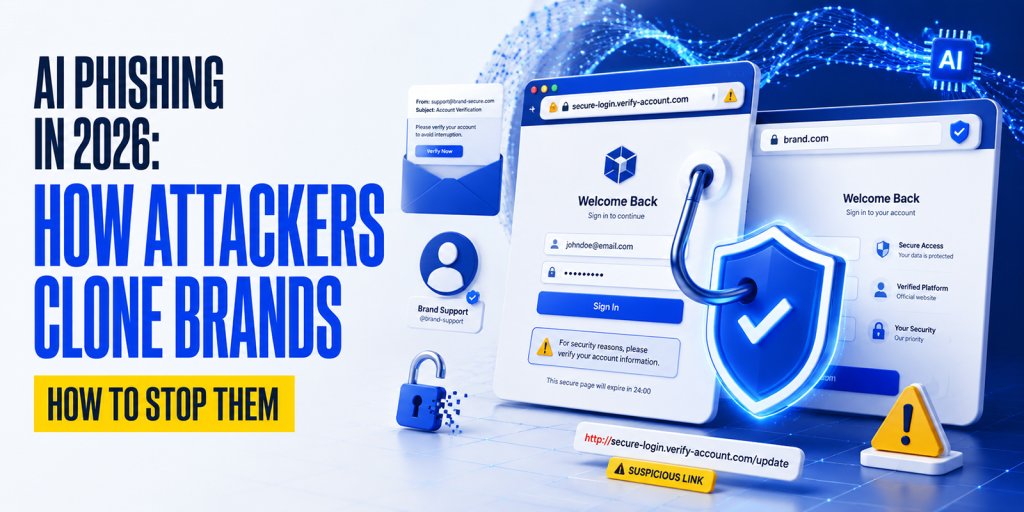
AI has transformed phishing into a far more convincing and dangerous cyber threat. Instead of sending poorly written scam emails, attackers now use artificial intelligence to create personalized emails, clone trusted brands, generate fake websites, and even imitate voices and video calls to steal sensitive information.
As these attacks become more sophisticated, traditional warning signs like spelling mistakes and generic greetings are no longer enough to identify phishing attempts. Businesses and domain owners need stronger defenses, including email authentication and DNS security.
In this guide, you’ll learn how AI phishing works, how attackers clone legitimate brands, and the best ways to protect your organization with technologies such as SPF, DKIM, DMARC, BIMI, and DNSSEC. You’ll also discover how HasheTools’ free DNS and email security tools can help you check and strengthen your domain’s security.
What is AI phishing?
AI phishing is the use of artificial intelligence to create highly personalized phishing emails, voice calls, text messages, and fake websites that imitate trusted brands and individuals to steal credentials or financial information.
How Phishing Evolved into AI Phishing
Phishing has evolved dramatically over the past two decades. Early attacks relied on mass emails filled with spelling mistakes, generic greetings, and unrealistic offers that were relatively easy to identify. As attackers became more sophisticated, they began impersonating trusted brands, creating convincing login pages, and targeting specific individuals with personalized messages.
Today, artificial intelligence has transformed phishing into a highly automated and personalized threat. Large language models (LLMs), voice cloning, and deepfake technology allow attackers to generate professional emails, realistic phone calls, and even convincing video meetings that closely mimic legitimate people and organizations. Instead of sending millions of generic emails, cybercriminals can now launch tailored campaigns against employees, customers, or business partners within minutes.
The biggest change is not just the quality of phishing messages but the speed and scale at which they can be created. AI enables attackers to automate research, personalize content, clone trusted brands, and simultaneously adapt their tactics across email, SMS, voice, and video. This shift makes modern phishing far more difficult to detect and reinforces the need for strong email authentication, DNS security, and verification processes.
2026 by the Numbers
AI-powered phishing has grown rapidly, making attacks more convincing and easier to launch at scale. Recent industry reports highlight the accelerating threat:
- AI-generated phishing increased dramatically during 2025–2026, with AI now playing a major role in creating highly personalized phishing campaigns.
- Voice phishing (vishing) incidents surged as attackers began using AI voice cloning to impersonate executives, financial institutions, and trusted contacts.
- Deepfake fraud reached record levels, with organizations reporting a sharp rise in AI-generated video and voice impersonation attacks.
- Credential theft continues to be the primary objective, as AI enables attackers to create realistic emails, fake login pages, and multi-channel social engineering campaigns with minimal effort.
Key takeaway: AI has transformed phishing from mass, generic scams into highly targeted attacks that combine email, voice, SMS, and deepfake technology. Organizations should prioritize strong email authentication (SPF, DKIM, and DMARC), phishing-resistant MFA, and continuous security awareness training to reduce their risk.
The 6 Types of AI Phishing Attacks in 2026
AI has not just improved one type of phishing; it has turbocharged the entire attack surface simultaneously. Here are the six primary attack types security teams face in 2026:
| AI-Generated Spear Phishing | LLMs scrape LinkedIn, company websites, social media, and data breaches to craft personalised emails referencing real names, job roles, reporting lines, ongoing projects, and communication styles. The resulting email is indistinguishable from genuine internal communication. 54% click-through rate vs 12% for traditional emails. |
| Vishing: AI Voice Cloning | Attackers clone an executive’s voice from as little as 3 seconds of publicly available audio (conference recordings, LinkedIn videos, earnings calls). They then call employees with a cloned voice requesting urgent wire transfers or credential resets. Human detection accuracy for high-quality voice clones drops to 24.5%. Vishing surged 442% in 2024. |
| Deepfake Video Meetings | Synthetic participants join video calls on Teams, Zoom, or Google Meet. In the $25 million Arup attack, an entire management team was deepfaked; the finance employee believed they were speaking with their actual CFO and colleagues in a live call. Real-time deepfake technology now runs on consumer hardware. |
| AI Smishing (SMS/WhatsApp) | AI generates personalised SMS and WhatsApp messages at scale, referencing real transaction details, delivery information, or account activity. SMS-based phishing accounts for 35% of all phishing attacks in 2026 and surged 40% year-over-year. SMS bypasses email security filters entirely. |
| Clone Phishing with AI Lookalike Sites | AI tools can clone a brand’s entire website, visual design, content, and login flow in minutes. Combined with typosquat domains that pass basic visual inspection, AI-cloned sites harvest credentials without triggering traditional URL reputation blocklists because the domains are freshly registered. |
| Autonomous AI Scam Agents | The cutting edge of 2026 attacks: fully autonomous AI agents that conduct entire social engineering campaigns end-to-end. The agent researches the target, crafts personalised messages, adapts dynamically to responses, conducts follow-up voice calls, and handles objections in real time, all without human attacker involvement. |
Multi-Channel Attacks Are the Norm, Not the Exception
The most damaging attacks in 2026 combine multiple vectors in a coordinated sequence: a convincing AI-written email is followed by a voice-cloned phone call for ‘confirmation’, then a deepfake video call to ‘close the deal’. Each channel reinforces the others. A recipient who is slightly suspicious of an email becomes convinced when the voice call matches perfectly, because it is their actual CEO’s cloned voice.
Step-by-Step: How Attackers Clone Your Brand
Modern attackers can use AI to create convincing brand impersonation campaigns in just a few hours. The process typically follows these six stages:
| Step | What Happens |
| 1. Intelligence Gathering | AI collects publicly available information such as executive names, company branding, employee profiles, email formats, and recent announcements. |
| 2. Infrastructure Setup | Attackers register a lookalike domain (e.g., yourbrand-secure.com), obtain an SSL certificate, and deploy a cloned version of your website. |
| 3. Content Generation | Large language models generate realistic emails, landing pages, and messages that match your company’s tone, branding, and current business activities. |
| 4. Voice & Video Cloning | Public audio and video recordings are used to create AI-generated voice clones or deepfake videos that impersonate executives or trusted employees. |
| 5. Multi-Channel Attack | Victims receive coordinated phishing emails, SMS messages, phone calls, or video meeting invitations designed to build trust and create urgency. |
| 6. Credential Theft or Fraud | Once the victim interacts with the fake website or approves a fraudulent request, attackers steal credentials, sensitive data, or financial assets. |
The AI Brand Cloning Workflow
Public Information
│
▼
AI Collects Brand & Employee Data
│
▼
Lookalike Domain + Cloned Website
│
▼
AI Generates Personalized Emails & Messages
│
▼
Voice Clone / Deepfake Verification
│
▼
Victim Clicks or Approves Request
│
▼
Credentials or Funds Stolen
Why This Matters
Unlike traditional phishing, AI-powered brand cloning combines multiple attack methods into a single campaign. A convincing email may be followed by a voice-cloned phone call or a deepfake video meeting, making the scam appear legitimate. Because these attacks use real company information and polished communication, employees should always verify sensitive requests through an independent, trusted channel before taking action.
Tip: Protect your brand by enabling SPF, DKIM, DMARC, and BIMI, and regularly verify your DNS and email authentication records using HasheTools’ free lookup tools.
Real-World Case Studies: Attacks That Worked
1. Arup Deepfake Attack (2024)
A finance employee at global engineering firm Arup joined what appeared to be a legitimate video meeting with the company’s CFO and senior executives. In reality, every participant except the employee was an AI-generated deepfake. Trusting the meeting, the employee approved a $25 million transfer. The incident highlights why financial requests should always be verified through an independent communication channel.
2. ByBit Cryptocurrency Heist (2025)
The ByBit cryptocurrency exchange suffered a $1.5 billion theft after attackers reportedly compromised a third-party provider through a sophisticated spear phishing campaign. The attack demonstrated how AI-assisted social engineering can be used to target trusted suppliers instead of the primary organization. Strong vendor security and phishing-resistant authentication are essential to reduce supply chain risk.
3. AI Voice Fraud (2024)
Several organizations have reported fraud involving AI-generated voice cloning, where attackers impersonated executives to authorize urgent payments or sensitive actions. With only a few seconds of publicly available audio, criminals can create convincing voice replicas. The safest defense is to verify unexpected financial or credential requests by calling the person back using a trusted, known phone number.
How to Spot AI Phishing: The New Red Flags
Traditional phishing red flags are obsolete against AI-generated attacks. The absence of typos, generic greetings, or suspicious formatting no longer means an email is safe. Here are the detection signals that actually work in 2026:
| Red Flag | Why AI Makes This Harder to Spot |
| Unexpected urgency with a financial or credential request | AI can generate urgency that sounds entirely natural. But the underlying pattern, urgent + financial/credential request, remains constant. Check the pattern, not the phrasing. |
| Request comes via an unexpected channel or new contact | AI enables attackers to approach via email, SMS, and voice simultaneously. If a contact reaches you through an unexpected channel claiming urgency, verify through a known channel. |
| The email domain is similar but not identical to the real brand | AI generates hundreds of convincing typosquat variants automatically. Check the exact sender domain character by character, not just visually. |
| Request bypasses normal process (‘just this once’) | AI social engineering specifically includes language that normalises process bypass. Any request to skip standard verification steps is a red flag regardless of how it’s phrased. |
| Slightly mismatched visual branding on linked pages | AI-cloned sites are close but not perfect; colour shades, font weights, or footer content may differ slightly. Check these against the real brand directly. |
| Executive contact is on holiday, travelling, or ‘unavailable’ | Attackers schedule requests when the impersonated executive is genuinely unavailable (using public travel or OOO information). This makes callback verification harder. |
| Voice caller knows personal details, but something feels subtly ‘off’ | AI voices are extremely convincing but may have slight response delays, unnatural phrasing at sentence boundaries, or limited ability to respond to very specific follow-up questions. |
| Video call participant’s mouth movements slightly lag behind the audio | Real-time deepfakes can exhibit minor sync issues, especially on lower-bandwidth connections or when the participant is responding to unexpected questions. |
The One Detection Heuristic That Still Works
Regardless of how convincing a communication appears, perfect grammar, real names, authentic voice, and genuine context, ask yourself one question: Is this person asking me to take an action that bypasses a normal verification step? Wire transfers, credential resets, software installations, and data shares should always follow your standard verification process, no matter how authentic the requester appears. AI can clone everything except your organisation’s verification protocols.
The DNS Connection: How Email Authentication Stops Brand Cloning
One of the most effective and overlooked defences against AI brand cloning is proper email authentication via DNS. When attackers clone your brand, they almost always need to send emails that appear to come from your domain. DNS-based authentication protocols make this technically impossible, or at least detectable.
The Email Authentication Stack That Blocks Brand Cloning
| Protocol | How It Stops Brand Cloning |
|---|---|
| SPF | Publishes which mail servers are authorised to send email as your domain. An attacker sending from a lookalike domain or their own server fails SPF; the receiving mail server can reject or flag the message. |
| DKIM | Cryptographically signs every outgoing email. Even if an attacker intercepts and modifies a legitimate email, the DKIM signature breaks. Cloned emails sent from attacker infrastructure cannot produce a valid DKIM signature for your domain. |
| DMARC | Ties SPF and DKIM together and enforces a policy. At p=reject, any email claiming to be from your domain that fails authentication is rejected at SMTP level before it reaches the recipient’s inbox. This is the core protection against domain spoofing. |
| BIMI | Displays your verified brand logo in Gmail, Yahoo, and Apple Mail. Recipients see your authenticated logo next to legitimate emails and notice its absence on spoofed ones. Makes AI-cloned emails visually distinguishable. |
| DNSSEC | Cryptographically authenticates your DNS records. Prevents attackers from poisoning resolver caches to forge your SPF, DKIM, or DMARC records against invalidating resolvers. |
Verify Your Email Authentication Records
Strong email authentication is one of the most effective ways to reduce the risk of domain spoofing and brand impersonation. Instead of manually reviewing DNS records, use HasheTools’ free lookup tools to verify that your email authentication is configured correctly.
- SPF Lookup: Confirm which mail servers are authorized to send email on behalf of your domain.
- DKIM Lookup: Verify that your DKIM public keys are published and correctly configured.
- DMARC Lookup: Check whether your domain has a DMARC policy and whether it is enforcing protection against spoofed emails.
- BIMI Lookup: Validate your BIMI record and ensure your verified brand logo is configured correctly for supported email providers.
You can also use the DNS Lookup tool to review all published DNS records in one place and identify potential configuration issues.
Quick Security Check: Run your domain through the SPF Lookup, DKIM Lookup, DMARC Lookup, and DNS Lookup tools on HasheTools to identify misconfigurations before attackers can exploit them.
Technical Defences: What to Deploy
Defending against AI phishing requires a layered technical stack. No single control is sufficient; AI attacks probe for gaps in each layer and route around individual defences. Deploy all of the following:
Email Security Layer
- DMARC at p=reject: The most critical single control. Prevents your domain from being used in phishing emails sent to anyone. Verify current status with HasheTools DMARC Lookup.
- DKIM on all sending services: Configure DKIM signing on every platform that sends email as your domain (your mail server, CRM, marketing platform, support desk). Verify with HasheTools DKIM Lookup.
- SPF with -all qualifier: List all authorised sending IPs and use -all to reject unauthorised senders. Avoid ~all (softfail) in production; it doesn’t protect you.
- BIMI with Verified Mark Certificate: Display your authenticated logo in Gmail, Yahoo, and Apple Mail. Helps recipients visually identify real emails from your domain.
- Anti-phishing email gateway: Deploy an advanced email security solution (Microsoft Defender for Office 365, Proofpoint, Abnormal Security) that uses AI-based detection of AI-generated phishing, fighting fire with fire.
- Lookalike domain monitoring: Subscribe to a service that monitors newly registered domains similar to yours. Attackers register typosquat domains weeks before campaigns launch; early detection enables proactive takedown.
Authentication & Access Control
- Phishing-resistant MFA (FIDO2/WebAuthn): Hardware security keys (YubiKey, Google Titan) and passkeys are immune to credential phishing because they cryptographically bind authentication to the legitimate domain. Even if an employee enters credentials on a cloned site, the authentication won’t succeed.
- Zero Trust Network Access: Authenticate every access request regardless of network location. Compromised credentials stolen via phishing cannot be used to access internal systems without additional device and context verification.
- Privileged Access Management (PAM): High-value accounts (finance, HR, IT admin) require additional authentication steps for sensitive operations. Makes it harder for AI-cloned social engineering to result in unauthorised access even if credentials are obtained.
DNS and Domain Security
- DNSSEC on your domain: Cryptographically authenticates your DNS records. Prevents attackers from forging your SPF, DKIM, or DMARC records via cache poisoning. Verify with HasheTools DNS Lookup.
- Registrar lock on all domains: Prevents DNS hijacking at the registrar level even if your account is compromised. Critical for ensuring your authentication records remain genuine.
- Certificate Transparency monitoring: Receive alerts when new SSL certificates are issued for domains similar to yours. AI-cloned phishing sites obtain legitimate SSL certificates; CT logs give you early warning.
- DNS-based content filtering (RPZ): Configure your resolvers to block known phishing and malware domains using Response Policy Zones. Prevents employees from reaching AI-cloned phishing sites even if they click a link.
Human Defences: Training for the AI Era
Technical controls reduce exposure but cannot eliminate it; humans remain the final decision point in most attacks. AI phishing specifically targets the gap between technical defences and human judgment. Training programs must be completely rebuilt for the AI threat landscape.
What Old Training Taught vs. What You Need Now
| Traditional Phishing Advice | What Works Against AI Phishing in 2026 |
| Look for spelling mistakes and poor grammar. | AI-generated messages are usually error-free. Focus on what is being requested, not how well it is written. |
| Hover over links before clicking. | Verify the exact sender domain and confirm requests through a trusted communication channel. |
| Be cautious of urgent emails. | Treat any request for money, credentials, or sensitive data as suspicious, even if it appears genuine. |
| Report suspicious emails to IT. | Report suspicious emails, SMS messages, voice calls, and video meetings, as AI attacks now use multiple channels. |
The Verification Protocol That Stops AI Attacks
The most effective human control is a clear, consistently enforced verification protocol for any sensitive request:
- PAUSE: resist the urgency. AI specifically generates time pressure to prevent verification.
- VERIFY OUT-OF-BAND: call the requestor back on a number from your company directory, not a number they provided. Send an email to their standard address, not a reply to the suspicious one.
- CONFIRM THE REQUEST TYPE: Any request for wire transfer, credential reset, access grant, or sensitive data requires a second approver regardless of how credible the source appears.
- CHECK THE DOMAIN: Use HasheTools DNS Lookup to verify the sender’s domain resolves to your expected nameservers and has valid DMARC records.
- REPORT REGARDLESS: report all suspicious contacts to security even if you didn’t fall for it. AI campaigns test many targets simultaneously; your report protects colleagues.
Simulated AI Phishing Training Dramatically Reduces Risk
KnowBe4’s 2025 benchmark data shows that security awareness training reduces the global phish-prone percentage by 40% within three months and by 86% after 12 months. However, these results are based on simulations that include AI-generated lures. Training programs using only template-based email simulations no longer capture the risk. Organisations need simulated vishing calls and deepfake video scenarios alongside email simulations to build the right response instincts.
If You’re Targeted: Incident Response Checklist
If you suspect an AI phishing attack or discover that your brand is being impersonated, take these steps immediately:
- Preserve Evidence: Save suspicious emails, SMS messages, call recordings, screenshots, URLs, and timestamps. Avoid deleting anything until the investigation is complete.
- Secure Accounts: Reset any compromised passwords, revoke active sessions, and enable phishing-resistant MFA (passkeys or security keys) wherever possible.
- Verify Your Domain Security: Check your SPF, DKIM, DMARC, DNS, and MX records using HasheTools to ensure your email authentication and DNS settings haven’t been altered.
- Report and Contain the Threat: Report the phishing campaign to your IT/security team, email provider, hosting company, and domain registrar. If a lookalike domain is involved, request an immediate takedown.
- Notify Affected Parties: Inform employees, customers, or business partners if they may have received fraudulent messages or shared sensitive information.
- Review and Strengthen Security: After the incident, enforce DMARC (p=reject), enable DNSSEC, monitor lookalike domains, and update employee training to include AI-generated phishing, voice cloning, and deepfake attacks.
Is version mein original section ki key actions cover ho jati hain, lekin length kaafi kam ho jati hai aur HasheTools ke DNS/email security tools ka CTA bhi naturally include rehta hai.
How HasheTools Helps You Monitor Your Brand’s DNS Exposure
HasheTools provides free, real-time DNS and email security tools that let you instantly assess whether your domain is properly protected against AI brand-clone phishing. No account required.
| HasheTools Tool | How It Protects Against AI Brand Cloning |
|---|---|
| DMARC Lookup | Check your DMARC record policy instantly. If it shows p=none or is missing entirely, attackers can send an email claiming to be you. Escalate to p=reject to prevent this. Your first check after reading this guide. |
| DKIM Lookup | Verify your DKIM public keys are correctly published for every domain selector. Missing or incorrect DKIM means email forgery can bypass authentication. |
| DNS Lookup TXT | View your full SPF record and verify all authorised sending sources are listed. Unauthorised senders not in your SPF record and not caught by DMARC can impersonate you. |
| BIMI Lookup | Check whether your BIMI logo record is correctly configured. BIMI gives recipients visual confirmation that emails are authenticated and reveals to you if not set up. |
| CNAME Lookup | Check for dangling CNAME records pointing to deprovisioned services. Dangling CNAMEs are a subdomain takeover vector that attackers use to send authenticated-looking emails from your subdomains. |
| Blacklist Check | If your domain has been used in phishing campaigns, it may appear on spam blocklists. Check immediately after any suspected brand abuse incident. |
| DNS Servers Lookup | Verify your authoritative nameservers haven’t been changed by a registrar hijacking attack. If NS records point to unknown nameservers, your entire DNS is under attacker control. |
| Reverse DNS Lookup | Verify your mail server IPs have correct PTR records. Missing or mismatched PTR records reduce email deliverability and can cause legitimate emails to be treated as spam while phishing emails from dedicated IPs sail through. |
| SMTP Test | End-to-end email delivery test confirms SPF pass, DKIM signing, PTR match, and DMARC alignment in a single check. Run this after any authentication configuration change. |
11. Frequently Asked Questions
Can I detect AI-generated phishing emails?
Not reliably from content alone. AI-generated emails are grammatically perfect and contextually accurate. The most reliable detection is not based on email quality but on: (1) the type of action being requested; any financial, credential, or access request should trigger verification; (2) the sender domain check character by character for typosquatting; (3) DMARC authentication status check if the email passed authentication.
Does DMARC at p=reject completely stop phishing attacks against my organisation?
DMARC p=reject prevents attackers from sending emails that appear to come FROM your domain. It does not prevent phishing emails sent from lookalike domains (hashetools-secure.com instead of hashetools.com), vishing calls, deepfake video, or SMS attacks. DMARC is essential for protecting your outbound reputation and blocking exact-domain spoofing, but it must be combined with the full technical stack and human training described in this guide.
How can I tell if a voice call is AI-cloned?
Reliably detecting a high-quality voice clone in real time is extremely difficult; human detection accuracy drops to 24.5% for high-quality clones. Rather than trying to detect the fake, use out-of-band verification: end the call and call the person back on a known, verified number. Ask a personalised question whose answer the attacker would not know. Establish a safe word or code phrase with executives in advance for use in urgent situations.
What should I do if my company’s brand is being cloned in a phishing campaign?
Act immediately: (1) document and report the phishing infrastructure to hosting providers and domain registrars; (2) submit abuse reports to Google Safe Browsing and Microsoft SmartScreen to get the site flagged in browsers; (3) escalate your DMARC to p=reject if not already there; (4) alert your customers through official channels that a phishing campaign is active; (5) file a report with FBI IC3; (6) consider engaging a brand protection service for rapid domain takedown.
Is SMS phishing (smishing) as dangerous as email phishing in 2026?
Increasingly, yes. SMS-based phishing accounts for 35% of all phishing attacks in 2026. SMS bypasses email security gateways entirely, and recipients tend to trust SMS messages more than email. AI generates personalised SMS messages that reference real transaction details, delivery information, or account activity. Deploy mobile threat defence solutions and train employees to treat SMS requests for credentials or financial action with the same scepticism as email requests.
How do attackers get the voice samples they need to clone a CEO’s voice?
They rarely need to obtain samples covertly; the samples are publicly available. LinkedIn video posts, conference presentation recordings, podcast appearances, earnings call recordings, YouTube interviews, and company promotional videos all provide the audio attackers need. Just 3 seconds of audio is sufficient for commercial voice cloning tools. Executives should be aware that every public audio or video recording they produce is a potential voice cloning resource.
Do I need a VMC (Verified Mark Certificate) for BIMI to stop phishing?
DMARC at p=reject stops phishing from your exact domain regardless of BIMI. BIMI adds a visible trust signal, your authenticated logo, that helps recipients distinguish genuine emails visually. A VMC is required for Gmail and Apple Mail BIMI logo display. Yahoo Mail and Fastmail support BIMI without a VMC. Even without a VMC, DMARC enforcement is the critical protection. BIMI is the visible trust layer that rewards you for doing it.
Your AI Phishing Defence Checklist
- Secure Your Email Authentication: Configure SPF, DKIM, and DMARC (p=reject) to prevent email spoofing, and implement BIMI to display your verified brand logo.
- Protect Your Domain & DNS: Enable DNSSEC, registrar lock, and monitor lookalike domains to reduce the risk of domain hijacking and brand impersonation.
- Strengthen Account Security: Use phishing-resistant MFA (FIDO2/passkeys) for all users, especially administrators, finance teams, and executives.
- Monitor Your Domain Regularly: Verify your domain’s DMARC, DKIM, SPF, DNS, SMTP, and blacklist status using HasheTools to identify security gaps before attackers do.
- Train Employees for AI-Era Phishing: Teach staff to verify sensitive requests through a trusted secondary channel instead of relying on grammar, branding, or familiar voices.
- Prepare an Incident Response Plan: Create a documented process for reporting phishing attempts, preserving evidence, resetting compromised accounts, notifying affected parties, and responding quickly to security incidents.
Check Your Domain’s Phishing Protection Right Now
Is your DMARC enforced? Are your DKIM keys published? Is your domain on a blacklist? Find out in seconds with HasheTools, completely free, no login required.