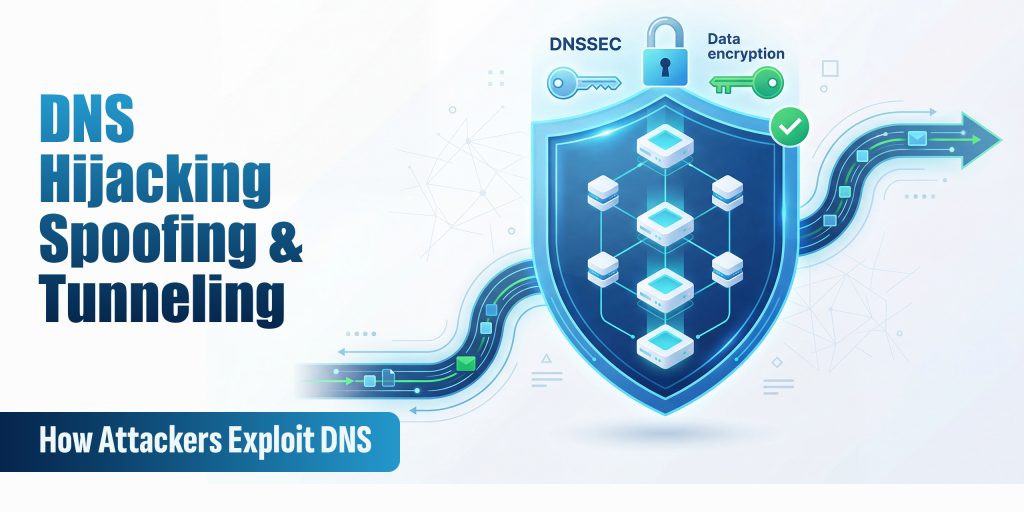
DNS hijacking, spoofing, and tunneling are cyberattack techniques that exploit the Domain Name System, the internet’s directory service, to redirect users to malicious sites, intercept traffic, or secretly exfiltrate data. Because virtually all network traffic relies on DNS, attackers who can manipulate DNS responses gain powerful control over what a user or system actually connects to.
Why DNS Is a Prime Target
DNS was designed in the 1980s for a small academic network. Security was never a priority. Most DNS traffic travels unencrypted over UDP port 53, making it observable, interceptable, and manipulable by anyone on the network path between your device and the DNS server.
What makes it especially dangerous:
- Unencrypted by default: DNS queries are transmitted in plaintext, visible to any observer
- Trust-based and stateless: resolvers accept the first matching response; they don’t verify the sender’s identity
- Cached responses: a poisoned cache entry persists for its full TTL, affecting every user on that resolver
- Rarely monitored: most organisations actively watch HTTP/HTTPS traffic but treat DNS as invisible infrastructure
DNS is exploited at every stage of a modern attack: reconnaissance, phishing, command-and-control, and data exfiltration, all hiding inside a protocol that firewalls seldom block.
DNS Hijacking: The Redirect Attack
DNS hijacking alters DNS resolution so that a domain resolves to an IP address controlled by an attacker. Unlike spoofing, hijacking involves persistent modifications to DNS infrastructure, making it harder to detect and longer-lasting.
Types of DNS Hijacking
| Type | How It Works |
| Router hijacking | An attacker compromises your router and changes its DNS server settings to a rogue resolver |
| Local hijacking | Malware modifies the local hosts file or DNS client settings on your device |
| Registrar hijacking | An attacker gains access to your registrar account and changes your authoritative nameservers |
| Authoritative NS hijack | Attacker compromises the nameserver itself; changes affect every resolver worldwide |
Real-World Example: DNSpionage
The DNSpionage campaign (2018–2019, attributed to Iranian threat actors) compromised domain registrar accounts for government and commercial targets across the Middle East, redirecting traffic through attacker-controlled servers and capturing credentials for months before detection. Nation-state actors continue to use registrar-level hijacking as a primary espionage technique in 2026.
Signs Your Domain May Be Hijacked
- DNS propagation checkers show different IPs across global resolvers
- Your registrar sends unexpected NS record change notifications
- SSL/TLS certificate monitoring fires unexpectedly for your domain
- Users report being redirected to login pages that look like yours
- Unexpected DMARC reports show unfamiliar sending sources
DNS Spoofing & Cache Poisoning
DNS cache poisoning injects a fraudulent DNS record into a recursive resolver’s cache. Once poisoned, the resolver serves the attacker’s forged answer to every client that queries for that domain, until the cache entry expires.
How It Works
DNS resolvers accept UDP responses that match the query’s transaction ID (a 16-bit number). If an attacker can guess or brute-force that ID and send a forged response before the legitimate nameserver replies, the resolver accepts and caches the fake answer.
In 2008, researcher Dan Kaminsky demonstrated a devastating variant that could poison a resolver in seconds, forcing emergency patching of nearly all DNS software worldwide. In 2026, modern variants combine Kaminsky-style flooding with IP fragmentation exploitation and side-channel timing attacks.
Hijacking vs. Spoofing: Key Differences
| Attribute | DNS Spoofing / Cache Poisoning | DNS Hijacking |
| Target | Recursive resolver cache | DNS infrastructure (registrar, NS, router) |
| Persistence | Temporary (until TTL expires) | Persistent until discovered |
| Requires system access? | No, network-level attack | Yes, account/system compromise |
| Affected users | All users of the poisoned resolver | All users of the domain globally |
| Primary defence | DNSSEC, DNS-over-HTTPS | Registrar lock, MFA, NS monitoring |
DNSSEC: The Technical Defence
DNSSEC cryptographically signs DNS records. A resolver that validates DNSSEC signatures can detect a forged response, even one with the correct transaction ID, because the signature won’t match. Despite being standardised in 2005, DNSSEC adoption remains below 30% globally, leaving the majority of DNS traffic vulnerable.
Check if your domain has DNSSEC enabled:
dig yourdomain.com DNSKEY +dnssec
# A valid response includes RRSIG records.
# If no RRSIG records appear, DNSSEC is not enabled.
DNS Tunneling: Hiding Data in Plain Sight
DNS tunneling encodes arbitrary data, commands, stolen files, malware payloads, inside DNS queries and responses. It exploits the fact that DNS traffic is almost universally permitted through firewalls, even in highly locked-down environments.
Firewalls block unusual outbound ports. But DNS on UDP port 53 is rarely blocked; doing so would break internet access entirely. Attackers build covert channels over a protocol that security teams rarely inspect.
What Gets Tunneled
- Command & control (C2): Malware receives attacker instructions via DNS TXT records, bypassing corporate firewalls entirely
- Data exfiltration: Sensitive files are base64-encoded and split across hundreds of DNS queries; the attacker’s nameserver reassembles them
- VPN bypass: Tools like iodine and dns2tcp create functional IP tunnels over DNS, enabling full internet access through captive portals
- Malware staging: Payloads are downloaded through DNS, bypassing HTTP/HTTPS filtering
What Tunneled Traffic Looks Like
# LEGITIMATE: Short subdomain, common record type
dig hashetools.com A
# hashetools.com. 300 IN A 104.21.45.67
# TUNNELED: Long encoded subdomain, TXT record
dig aGVsbG8gd29ybGQgdGhpcyBpcyBzdG9sZW4gZGF0YQ.evil.com TXT
# Red flags: long base64 subdomain + TXT query + unknown domain
DNS Tunneling Red Flags
| Indicator | Why It’s Suspicious |
| Subdomain length > 50 characters | Legitimate subdomains are short; long base64 labels indicate data encoding |
| High query rate to a single domain | Tunneling tools make rapid-fire queries abnormal for legitimate use |
| Unusual record types (TXT, NULL) | Tunneling tools favour TXT records to carry payload data |
| Unknown or newly registered domains | Attacker infrastructure is often freshly registered |
| Large DNS response sizes | TXT records carrying C2 commands are far larger than typical responses |
DNS Rebinding Attacks
DNS rebinding tricks a victim’s browser into treating an attacker-controlled server as if it were on the victim’s local network, bypassing the same-origin policy and exposing internal services.
How it works:
- Victim visits attacker’s domain (via phishing or malicious ad)
- Domain resolves to the attacker’s real server with a very short TTL (1 second)
- TTL expires; next DNS lookup returns a private IP (192.168.x.x or 10.x.x.x)
- The browser now treats the attacker’s domain as a local network address
- JavaScript can now read responses from routers, NAS devices, internal panels, and IoT devices, with no authentication required.
Most home routers rely on “protected by not being on the internet” as their only security. DNS rebinding destroys that assumption.
DNS Amplification: DDoS via DNS
DNS amplification exploits open DNS resolvers to amplify attack traffic by 50–100x. The attacker sends a small query spoofing the victim’s IP, and the resolver sends a much larger response to that victim, overwhelming their bandwidth without requiring significant botnet resources.
A single DNS ANY query (~40 bytes) can generate a 3,000+ byte response. Multiplied across thousands of open resolvers, the result is a massive volumetric DDoS.
Defences:
- Never run an open DNS resolver
- Implement BCP38 source address validation at the network edge
- Enable DNS Response Rate Limiting (RRL)
- Disable or minimise responses to ANY queries (RFC 8482)
AI-Driven DNS Attacks in 2026
The most significant shift in 2026 is the convergence of AI with DNS exploitation.
- AI-generated phishing infrastructure: ML models generate hundreds of near-identical lookalike domains that pass traditional brand-similarity checks
- Staged pre-positioning: Attackers register domain infrastructure weeks or months before activation. Spikes in newly observed domains precede phishing campaigns by 2-6 weeks.
- ML-evasive DGAs: Deep learning domain generation algorithms produce names statistically indistinguishable from legitimate traffic, defeating entropy-based detection
- Automated reconnaissance: AI scans DNS records at scale to identify misconfigured zones, forgotten subdomains, and exposed internal services faster than any human analyst
The defender’s response requires ML-powered DNS monitoring that evaluates domains in full context, query frequency, registration age, certificate transparency logs, and geographic patterns, rather than simple blocklists.
How to Detect DNS Attacks
Command-Line Checks
# Check your authoritative nameservers for unexpected changes
dig yourdomain.com NS +short
# Compare responses across global resolvers — inconsistency signals poisoning
dig @8.8.8.8 yourdomain.com A +short
dig @1.1.1.1 yourdomain.com A +short
dig @208.67.222.222 yourdomain.com A +short
# Detect tunneling — look for anomalously long subdomain queries in logs
grep -E ‘query: [a-zA-Z0-9+/]{50,}\.’ /var/log/named/query.log
Anomaly Reference Table
| Anomaly | Likely Attack |
| Sudden NS record change | Registrar/domain hijacking |
| Domain resolves to different IPs across resolvers | Cache poisoning |
| Spike in NXDomain responses | DGA malware C2 search |
| Base64-encoded subdomain queries | DNS tunneling/data exfiltration |
| Very short TTL (1–5 seconds) on your records | DNS rebinding preparation |
| High-volume TXT queries to an unknown domain | DNS tunneling C2 channel |
| Internal hosts querying external resolvers directly | Malware bypassing internal DNS |
DNS Security Checklist
Domain & Registrar
- Enable registrar lock (transfer lock) on all domains
- Enable MFA on your registrar account, use an authenticator app, not SMS
- Set up registrar alerts for any NS, A, or MX record changes
- Monitor NS records continuously and verify they match expected values
DNSSEC & Encrypted DNS
- Enable DNSSEC on all domains
- Verify DNSSEC validation: dig yourdomain.com A +dnssec
- Enable DNS-over-HTTPS (DoH) or DNS-over-TLS (DoT) on endpoints
- Use a validating resolver: Cloudflare 1.1.1.1, Google 8.8.8.8, or Quad9 9.9.9.9
Email Authentication
- Publish SPF record for all sending domains
- Configure DKIM signing on outgoing mail
- Enforce DMARC at p=reject
- Implement BIMI for verified logo display in Gmail and Yahoo
Network & Resolver Hardening
- Never run an open DNS resolver
- Implement DNS Response Rate Limiting (RRL)
- Enable BCP38 source address validation at the network edge
- Block outbound DNS from endpoints to anything except your authorised resolvers
- Subscribe to certificate transparency monitoring for your domain
Conclusion
DNS remains one of the most critical and most overlooked components of internet security. In 2026, attackers exploit it through hijacking, spoofing, tunneling, rebinding, amplification, and, increasingly, AI-enhanced techniques that evade traditional detection.
The good news is that most of these attacks are detectable and preventable with the right foundations. Enable DNSSEC. Use DNS-over-HTTPS. Lock your registrar. Monitor your records. Enforce email authentication. And treat DNS logs as a frontline security signal, not background noise.
DNS security is not a set-and-forget task. It requires continuous vigilance, layered defences, and awareness of how the threat landscape evolves, starting with understanding the attacks described here.