Email deliverability depends heavily on your DNS configuration. If your mail server is even slightly misconfigured, you may run into warnings that directly affect inbox placement. One of the most common alerts seen during SMTP tests is:
“Reverse DNS does not match SMTP banner.”
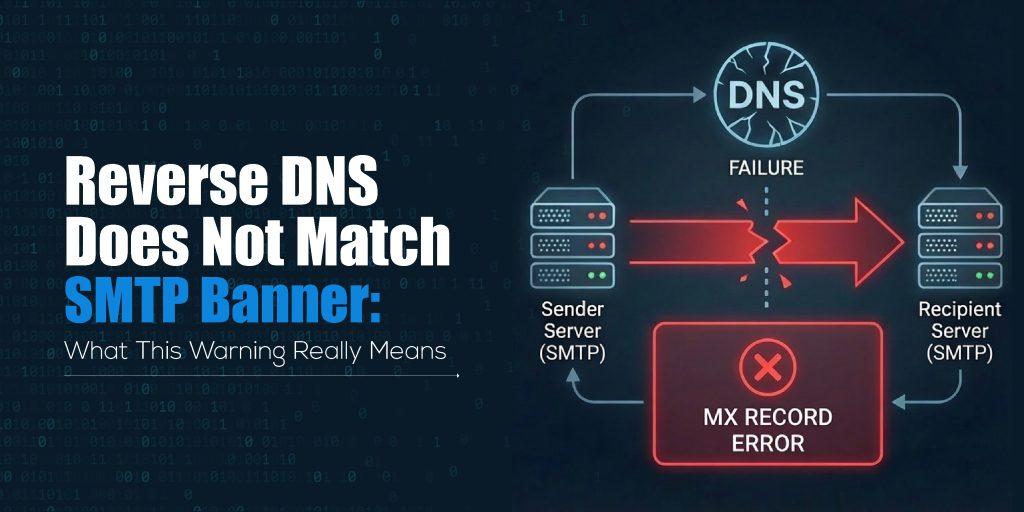
This warning appears on platforms like MXToolbox, HasheTools SMTP tests, and other email diagnostics tools. Although it may look technical or confusing, the issue is simple: Your mail server is identifying itself using a hostname that does not match its reverse DNS record.
This mismatch does not always break your email service, but it can affect your sender reputation and may cause your messages to land in spam.
Let’s break it down in an easy, clear, and actionable way.
What Is Reverse DNS (rDNS)?
Reverse DNS, also called PTR record lookup, is a DNS mechanism that maps an IP address back to a hostname.
While a normal DNS (A record) converts hostname → IP,
reverse DNS converts IP → hostname.
Simple Example
- A record: mail.example.com → 192.0.2.10
- PTR record (rDNS): 192.0.2.10 → mail.example.com
Mail servers rely on this reverse lookup to verify the identity of the server trying to send email. If a mail server cannot verify the reverse DNS or finds mismatching information, it becomes suspicious.
This forms the basis of the warning.
What Is an SMTP Banner?
When your mail server connects to another server to send an email, it introduces itself using a greeting message called the SMTP banner.
Example SMTP banner:
220 mail.example.com ESMTP Postfix
The most important part here is the hostname:
mail.example.com
Receiving servers expect this hostname to match your reverse DNS and forward DNS.
If it does not match, the server flags it as a potential spam indicator.
Why Does the “Reverse DNS Does Not Match SMTP Banner” Warning Appear?
This warning appears when:
SMTP banner hostname ≠ PTR record hostname
Common reasons include:
1. Incorrect SMTP hostname
Your mail server might be configured with a default hostname like:
- localhost
- server.yourhostprovider.com
- ip-123-45-67-89.hostingprovider.net
Instead of your actual mailing domain.
2. Wrong PTR record
The PTR record may point to:
- an old hostname
- your hosting provider’s hostname
- a generic IP-based hostname
Instead of your mail server hostname.
3. Missing forward DNS
Even if the PTR is correct, if the matching A record is missing, it still triggers a warning.
4. Using an ISP mail server or shared hosting
Cloud providers like AWS, DigitalOcean, Vultr, and shared hosts often use generic reverse DNS names.
5. Misconfigured mail server during setup
During Postfix, Exim, or cPanel setup, if the SMTP banner was not updated properly.
Why Is This Mismatch a Problem?
While this warning is not always fatal, it strongly impacts:
1. Email Deliverability
Gmail, Outlook, Yahoo, and most corporate mail servers check for DNS consistency. A mismatch raises suspicion and lowers trust.
2. Spam Filtering
Spam engines score your server based on:
- reverse DNS consistency
- proper SMTP banner
- matching hostname
A mismatch increases your spam score.
3. Email Reputation
Long-term sending with mismatches can reduce IP reputation, causing:
- delays
- soft bounces
- junk folder placement
4. MXToolbox / HasheTools Warnings
When you test using HasheTools SMTP Test or MXToolbox, you’ll see:
“Reverse DNS does not match SMTP Banner”
This is a direct indication that your DNS identity is not aligned.
How to Check This Warning Using HasheTools or MXToolbox
You can verify the issue quickly:
Step 1: Run HasheTools SMTP Test
Go to: https://www.hashetools.com/tools/smtp-test
Enter your mail server address and run the scan.
Look for this line:
Reverse DNS does not match SMTP Banner
Step 2: Run Reverse DNS Lookup
Use HasheTools Reverse DNS Lookup: https://www.hashetools.com/tools/reverse-dns-lookup
Check if the hostname matches your SMTP banner.
Step 3: Check your forward DNS
Look for the A record pointing to your IP.
When these three don’t align, the mismatch appears.
How to Fix “Reverse DNS Does Not Match SMTP Banner”
The fix is simple:
All three must match:
A record = PTR record = SMTP banner
Follow these exact steps:
1. Fix Your SMTP Banner (HELO/EHLO)
Set the correct hostname in your mail server settings:
Example: mail.yourdomain.com
How to update:
- Postfix → /etc/postfix/main.cf → myhostname = mail.yourdomain.com
- Exim → cPanel → Exim Configuration → SMTP Banner
- Plesk → Mail Settings → Outbound Mail Mode
- Windows SMTP → Server properties → Identification
2. Fix Your PTR Record (Reverse DNS)
PTR records can only be updated by your:
- hosting provider
- ISP
- VPS/cloud provider
Request them to set:
Your IP → mail.yourdomain.com
Example request: Please update the PTR record for IP 192.0.2.10 to: mail.example.com
3. Make Sure Forward DNS Exists
For the hostname: mail.yourdomain.com
Create an A record: mail → your IP
4. Match All Three Correctly
Final correct structure must be:
| Component | Should Be |
| SMTP Banner | mail.yourdomain.com |
| A Record | mail.yourdomain.com → IP |
| PTR Record | IP → mail.yourdomain.com |
If even one differs → a warning appears.
5. Test Again
Use HasheTools SMTP Test again: https://www.hashetools.com/tools/smtp-test
If all matches: Warning disappears.
Correct Example of DNS + SMTP Setup
Forward DNS (A Record): mail.example.com → 192.0.2.10
Reverse DNS (PTR Record): 192.0.2.10 → mail.example.com
SMTP Banner: 220 mail.example.com ESMTP Postfix
This is the ideal setup.
What Happens If You Ignore This Warning?
If you ignore this mismatch, your email server may:
- land in spam (especially in Gmail & Outlook)
- face slow delivery
- get domain reputation issues
- fail verification checks
- get flagged by corporate mail filters
- lose email trust score
For businesses and transactional emails, ignoring this warning is never recommended.
FAQs
1. Why does the “Reverse DNS does not match SMTP banner” warning appear?
This warning appears when your mail server’s hostname (SMTP banner) does not match the hostname returned by its reverse DNS (PTR record). Both must point to the same FQDN for proper authentication.
2. Does this mismatch affect email delivery?
Yes. Most spam filters, including Gmail, Outlook, and corporate mail gateways, treat DNS inconsistencies as a sign of an untrustworthy mail server. This can push emails into spam or cause delivery delays.
3. How do I fix a reverse DNS mismatch?
You must update:
- SMTP banner hostname
- A record of your mail server
- PTR record for your IP
All three should match the same domain name, such as mail.yourdomain.com.
4. Can I update the PTR record myself?
No. PTR records are controlled by the IP address owner, usually your hosting provider, VPS provider, or ISP. You must request that they update the reverse DNS.
5. How long do DNS and PTR updates take to propagate?
A record updates within minutes. PTR record changes may take 15 minutes to 24 hours, depending on the provider.
6. If everything else is correct, is this warning still serious?
Even if SPF, DKIM, and DMARC are perfect, a hostname mismatch still affects server trust. It won’t always block your emails, but it does reduce inbox performance, especially for bulk or transactional emails.
Conclusion
A “Reverse DNS does not match SMTP banner” warning simply means your mail server is presenting an identity that does not match the hostname returned by its reverse DNS record. While this issue doesn’t break email sending, it directly influences deliverability, trust, and your overall sender reputation. Modern mail providers rely heavily on hostname alignment to verify whether a server is genuine or potentially harmful.
By ensuring your SMTP banner, A record, and PTR record all match the same hostname, you create a clean and trustworthy DNS configuration. This small fix helps your emails reach inboxes faster, reduces spam flags, and strengthens your server’s credibility.
Tools like HasheTools SMTP Test and DNS utilities make it easy to detect and resolve these issues quickly, ensuring your mail server stays optimized and reliable at all times.