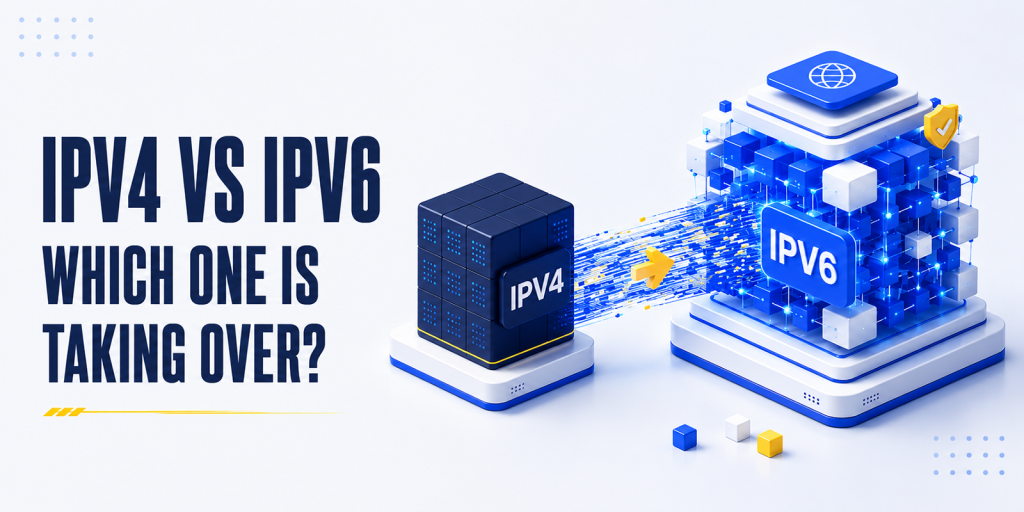
Every website visit, email, video stream, and DNS lookup relies on an IP address. For more than four decades, IPv4 has been the foundation of internet communication, connecting billions of devices worldwide. However, as the number of internet-connected devices grew, the limited supply of IPv4 addresses became exhausted.
To address this challenge, IPv6 was introduced with a vastly larger address space and several networking improvements. Although IPv6 was standardized in 1998, adoption has been gradual, and both protocols continue to coexist in 2026. Today, IPv6 usage has surpassed 45% globally, while IPv4 still powers a significant portion of internet traffic.
Understanding the differences between IPv4 and IPv6 is important for website owners, developers, network administrators, and businesses. In this guide, we’ll compare IPv4 vs IPv6, explain how they work, examine their advantages and limitations, and explore what the ongoing transition means for websites, DNS, email deliverability, security, and network infrastructure.
What Are IP Addresses? A Quick Primer
An IP (Internet Protocol) address is a unique numerical identifier assigned to a device connected to a network. Its primary purpose is to identify devices and ensure data is routed to the correct destination across the internet.
You can think of an IP address as a postal address for your device. When you visit a website, send an email, or perform a DNS lookup, routers use IP addresses to deliver data between devices accurately.
Today, two versions of the Internet Protocol are in use: IPv4, the original protocol introduced in the 1980s, and IPv6, its successor designed to address IPv4’s address limitations. The differences between them affect address availability, network architecture, security, performance, and DNS resolution.
IPv4 Explained: The Original Internet Address
IPv4 (Internet Protocol version 4) was defined in RFC 791 in 1981 and has served as the foundation of internet communication for more than four decades. Every device connected to the internet uses an IP address, and historically, those addresses have been IPv4.
IPv4 Address Format
An IPv4 address is a 32-bit number written as four decimal numbers separated by dots, a format known as dotted-decimal notation.
| IPv4 address examples |
| 192.168.1.1 # Private network (your home router)
8.8.8.8 # Google’s public DNS server 104.21.45.67 # A web server’s public IP 203.0.113.0/24 # A subnet (network block of 256 addresses) # Structure: four 8-bit octets, each 0-255 # Total address space: 2^32 = 4,294,967,296 addresses (~4.3 billion) |
While 4.3 billion addresses seemed enormous when IPv4 was designed, the growth of smartphones, cloud computing, IoT devices, and internet-connected services eventually exhausted the available supply. As a result, IPv4 address scarcity became one of the primary reasons for the development of IPv6.
Common IPv4 Special Ranges
Some IPv4 ranges serve specific purposes:
| Range | Class / Type |
| 10.0.0.0/8 | Private networks |
| 172.16.0.0/12 | Private networks |
| 192.168.0.0/16 | Private networks |
| 127.0.0.0/8 | Loopback (localhost) |
| 169.254.0.0/16 | Link-local addressing |
| 224.0.0.0/4 | Multicast traffic |
The IPv4 Exhaustion Crisis
IPv4 address exhaustion is no longer a future concern; it has already happened. With only about 4.3 billion available addresses, IPv4 could not keep pace with the rapid growth of internet users, mobile devices, cloud services, and IoT technologies. As a result, the global supply of new IPv4 addresses has been exhausted, driving the adoption of IPv6.
Timeline of IPv4 Exhaustion
| Year | Event |
| 1981 | IPv4 defined in RFC 791. |
| 1992 | IETF recognizes IPv4 exhaustion as a future challenge. |
| 1996 | Private IP addressing and NAT introduced. |
| 1998 | IPv6 standardized as the long-term replacement. |
| 2011 | IANA exhausts its global IPv4 address pool. |
| 2012–2020 | Regional Internet Registries gradually exhaust available IPv4 allocations. |
| 2026 | IPv4 addresses remain scarce and are actively traded on the secondary market. |
NAT: The IPv4 Life-Extension Hack
Network Address Translation (NAT) is the primary reason IPv4 remains usable despite address exhaustion. NAT allows multiple devices on a private network to share a single public IPv4 address.
For example, your home router receives one public IP address from your ISP while assigning private addresses to devices inside your network. The router translates traffic between private and public addresses, allowing multiple devices to access the internet simultaneously.
While NAT helped delay IPv4 exhaustion, it was never intended as a permanent solution. It adds complexity, can interfere with peer-to-peer applications, online gaming, VoIP services, and video conferencing, and reduces the end-to-end connectivity that the internet was originally designed to provide.
Many ISPs now use Carrier-Grade NAT (CGNAT), where thousands of customers share a limited pool of public IPv4 addresses. Although effective as a temporary workaround, CGNAT further increases network complexity and highlights the need for widespread IPv6 adoption.
IPv6 Explained: The Next-Generation Protocol
IPv6 (Internet Protocol version 6) is the successor to IPv4. It was developed to solve IPv4 address exhaustion while also improving network scalability, routing efficiency, and device autoconfiguration.
IPv6 Address Format
An IPv6 address is a 128-bit number written as eight groups of hexadecimal characters separated by colons.
Examples of IPv6 addresses:
2001:db8:85a3::8a2e:370:7334 # Example public IPv6 address
::1 # Loopback address (similar to 127.0.0.1)
fe80::1 # Link-local address
2001:db8::/32 # Documentation prefix
# Total address space: 2^128
# Approximately 340 undecillion unique addresses
Unlike IPv4’s 32-bit address space, IPv6 provides an enormous number of unique addresses, ensuring that the internet can continue to grow without running out of available IP addresses. This larger address space also reduces the need for Network Address Translation (NAT) and supports more efficient network scalability.
What IPv6 Improves Beyond Just Addresses
Virtually Unlimited Addresses: IPv6 provides a massive address space, eliminating the address shortage that affects IPv4.
Reduced Reliance on NAT: With abundant public addresses available, IPv6 restores end-to-end connectivity without depending heavily on Network Address Translation (NAT).
Modern Network Design: IPv6 supports features such as automatic address configuration, improved routing efficiency, and enhanced support for modern internet infrastructure.
IPv4 vs IPv6: Side-by-Side Comparison
| Attribute | IPv4 | IPv6 |
| Address size | 32-bit | 128-bit |
| Address format | Dotted decimal (192.168.1.1) | Colon-hexadecimal (2001:db8::1) |
| Total addresses | ~4.3 billion | 340 undecillion |
| Address exhaustion | Global pool exhausted | Practically inexhaustible |
| Header size | Variable (20–60 bytes) | Fixed (40 bytes) |
| NAT required? | Commonly used due to address scarcity | Generally not required |
| IPsec support | Optional | Supported natively (not mandatory in practice) |
| Auto-configuration | Manual or DHCP | SLAAC and/or DHCPv6 |
| Broadcast | Supported | Not supported (uses multicast) |
| Fragmentation | Routers and hosts | Source host only |
| DNS record type | A record | AAAA record |
| Header checksum | Present | Removed |
| Year defined | 1981 (RFC 791) | 1998 (RFC 2460) |
How IPv6 Adoption Looks in 2026
IPv6 adoption has reached a major milestone in 2026. According to Google’s IPv6 statistics, global IPv6 usage has surpassed 45%, up from roughly 30% in 2021 and just 5% in 2015. While IPv4 remains widely used, IPv6 now carries a substantial share of internet traffic and is expected to become the dominant protocol within the next decade.
IPv6 Adoption by Country (2026)
| Country / Region | IPv6 % |
|---|---|
| India | 70%+ |
| Belgium | 65%+ |
| United States | 55%+ |
| Germany | 50%+ |
| Japan | 50%+ |
| Brazil | 45%+ |
| United Kingdom | 40%+ |
| Global Average | 45%+ |
Who Is Driving Adoption
Mobile Networks: Mobile carriers are the largest driver of IPv6 growth. Operators such as Reliance Jio, T-Mobile, and other major providers have deployed IPv6 at scale because supporting hundreds of millions of devices with IPv4 alone is increasingly impractical.
Cloud Platforms: AWS, Google Cloud, Microsoft Azure, and Cloudflare all provide native IPv6 support, making deployment easier for businesses and developers.
Major Websites and Services: Companies including Google, Netflix, Apple, Amazon, Meta, and Microsoft serve content over IPv6 whenever a user’s network supports it.
Government Initiatives: Governments and public-sector organizations worldwide continue to encourage IPv6 adoption as part of long-term internet infrastructure modernization efforts.
Why IPv4 Is Still Dominant Despite Running Out
IPv4 address exhaustion does not mean IPv4 suddenly stopped working. Although the global pool of new IPv4 addresses has been depleted, the protocol remains deeply embedded in the internet’s infrastructure. As a result, IPv4 continues to carry a large share of internet traffic even as IPv6 adoption grows. Several factors explain why the transition has taken far longer than many experts originally expected.
Legacy Infrastructure
Billions of devices, routers, firewalls, servers, and software applications were originally designed around IPv4. Replacing or upgrading this infrastructure can take years or even decades, particularly in enterprise environments, industrial networks, and embedded systems where equipment often remains in service for long periods.
NAT Reduces the Pressure to Migrate
Network Address Translation (NAT) allows multiple devices to share a single public IPv4 address. This technology has helped extend the life of IPv4 by enabling homes, businesses, and internet service providers to support large numbers of devices without requiring a unique public IP address for each one. For many users, NAT effectively masks the address shortage.
Cost and Complexity
Moving to IPv6 involves more than simply enabling a new protocol. Organisations often need to update network hardware, review software compatibility, retrain staff, revise security policies, and thoroughly test systems before deployment. For businesses with stable IPv4 networks, the migration cost can appear difficult to justify.
The IPv4 Address Market
Although new IPv4 allocations are no longer available from regional internet registries, existing address blocks can still be bought and sold. The secondary IPv4 market allows organisations to acquire additional addresses when needed, reducing the immediate pressure to transition entirely to IPv6.
Application and Software Compatibility
Many applications, monitoring platforms, security tools, and legacy systems were developed with IPv4 assumptions built into their design. Supporting IPv6 may require code changes, configuration updates, and extensive testing. In large organisations, addressing these compatibility issues can be a significant undertaking.
Dual-Stack Networks Delay Full Migration
Many internet service providers and organisations operate dual-stack environments where IPv4 and IPv6 run simultaneously. This approach improves compatibility and eases the transition, but it also reduces the urgency to retire IPv4 completely. As long as both protocols can coexist, IPv4 remains an important part of internet operations.
IPv6 and DNS: What Changes for Domain Owners
DNS is the bridge between domain names and IP addresses. When your visitors use IPv6, their DNS resolver needs to find an IPv6 address for your domain, not just an IPv4 address. This requires a different DNS record type and some important configuration considerations.
A Records vs AAAA Records
| Record Type | IP Version | Example |
|---|---|---|
| A record | IPv4 only | hashetools.com. 300 IN A 104.21.45.67 |
| AAAA record | IPv6 only | hashetools.com. 300 IN AAAA 2606:4700:3037::6815:2d43 |
Publishing both an A record and an AAAA record for your domain is called dual-stack DNS. When a client performs a DNS lookup:
- If the client supports IPv6 (most modern devices do), it uses the AAAA record and connects over IPv6
- If the client only supports IPv4, it uses the A record and connects over IPv4
- If both records exist and IPv6 fails, modern clients fall back to IPv4 using Happy Eyeballs (RFC 8305), a technique that races IPv4 and IPv6 connections and uses whichever responds first
| Check IPv6 DNS records for a domain |
| # Check IPv4 A record
dig hashetools.com A +short # Check IPv6 AAAA record dig hashetools.com AAAA +short # Check both A and AAAA simultaneously dig hashetools.com ANY +short # Test if a domain is reachable over IPv6 specifically ping6 hashetools.com # macOS / Linux ping -6 hashetools.com # Windows |
IPv6 and Reverse DNS (PTR Records)
Reverse DNS for IPv6 uses ip6.arpa instead of IPv4’s in-addr.arpa. The format reverses all 32 hex digits of the full IPv6 address:
| IPv6 reverse DNS (PTR) record format |
| # IPv6 address: 2001:db8::1
# For PTR lookup, expand fully and reverse each nibble: # 2001:0db8:0000:0000:0000:0000:0000:0001 # Reversed nibble-by-nibble: # 1.0.0.0.0.0.0.0.0.0.0.0.0.0.0.0.0.0.0.0.0.0.0.0.8.b.d.0.1.0.0.2.ip6.arpa dig -x 2001:db8::1 # Reverse lookup for an IPv6 address |
IPv6 and Email Security
IPv6 adoption introduces several considerations for email administrators and DNS managers. While email authentication standards remain the same, proper IPv6 configuration is important to maintain deliverability and sender reputation.
SPF and IPv6
SPF records must explicitly authorize IPv6 sending addresses using the ip6: mechanism. If your SPF record only includes IPv4 addresses, emails sent over IPv6 may fail SPF validation.
Example:
# IPv4-only SPF
v=spf1 ip4:203.0.113.10 include:_spf.google.com -all
# Dual-stack SPF (recommended)
v=spf1 ip4:203.0.113.10 ip6:2001:db8::1/64 include:_spf.google.com -all
If you use a third-party email provider, verify that its SPF configuration also supports IPv6 sending ranges.
DKIM and DMARC
DKIM and DMARC work the same way over IPv6 as they do over IPv4. DKIM validates message authenticity through cryptographic signatures, while DMARC relies on SPF and DKIM alignment to protect domains from spoofing. No special IPv6-specific configuration is typically required beyond ensuring your existing authentication records are correctly configured.
IPv6 Reputation Considerations
Email reputation in IPv6 environments is still less mature than in IPv4. New IPv6 ranges often have little or no sending history, which can cause some providers to treat messages more cautiously until reputation is established.
Unlike IPv4, reputation is frequently evaluated at the IPv6 prefix level (such as /48 or /64) rather than a single IP address. For this reason, organizations often introduce new IPv6 sending ranges gradually and monitor deliverability closely while building reputation.
IPv6 Security: New Protocol, New Risks
IPv6 introduces several security considerations that differ from traditional IPv4 networks. While it improves scalability and modernizes internet addressing, organizations must ensure their security controls are updated to support IPv6 alongside IPv4.
One major difference is network reconnaissance. In IPv4, attackers can quickly scan small address ranges to identify active devices. In IPv6, a standard /64 subnet contains an enormous number of addresses, making large-scale brute-force scanning far less practical. However, targeted attacks and misconfigurations can still expose systems.
IPv6 also introduces privacy features such as temporary addresses (RFC 4941), which help reduce user tracking by periodically changing device identifiers. While beneficial for privacy, these changing addresses can complicate logging, monitoring, and forensic investigations.
Another important change is the replacement of ARP with the Neighbor Discovery Protocol (NDP). Although NDP performs similar functions, it introduces new risks such as neighbor spoofing and rogue router advertisements. Proper network security controls and router advertisement filtering are important for mitigating these threats.
Unlike IPv4 environments where ICMP is often heavily restricted, ICMPv6 is essential for core IPv6 functionality, including Neighbor Discovery, Path MTU Discovery, and address autoconfiguration. Blocking ICMPv6 can disrupt network operations, so firewall rules should be configured carefully rather than disabling it entirely.
Finally, dual-stack deployments increase the attack surface. When IPv4 and IPv6 run simultaneously, attackers may attempt to exploit the less-monitored protocol. Organizations should ensure that monitoring, logging, firewall policies, and intrusion detection systems provide equal visibility and protection for both IPv4 and IPv6 traffic.
How to Check Your IPv4 and IPv6 Addresses
Check Your Public IP Address
| Find your current public IPv4 and IPv6 addresses |
| # macOS / Linux, show all network interfaces
ifconfig # Shows all interfaces including IPv4 and IPv6 ip addr show # Linux alternative # Windows ipconfig # Shows IPv4 and IPv6 for all adapters # Check your PUBLIC IPv4 (as seen by the internet) curl -4 https://api.ipify.org # Check your PUBLIC IPv6 (as seen by the internet) curl -6 https://api6.ipify.org # Check BOTH at once curl https://api64.ipify.org # Returns IPv6 if available, IPv4 otherwise # Using HasheTools: visit hashetools.com and use the “My IP” tool # Shows your current public IP, whether IPv4 or IPv6 |
Check If a Server Has IPv6
| Verify IPv6 connectivity and AAAA records |
| # Check if a domain has an IPv6 address (AAAA record)
dig google.com AAAA +short # Returns: 2607:f8b0:4004:c07::65 (IPv6 address) # Test IPv6 connectivity to a server ping6 google.com # macOS / Linux ping -6 google.com # Windows # Full IPv6 traceroute traceroute6 google.com # macOS / Linux tracert -6 google.com # Windows # Check if your ISP gives you an IPv6 address curl -6 https://api64.ipify.org # If this fails or returns an IPv4 address, your ISP may not support IPv6 |
Using HasheTools for IP lookups: HasheTools provides free IP Lookup, Reverse DNS Lookup, and DNS Lookup tools that work for both IPv4 and IPv6 addresses. You can look up AAAA records for any domain, perform reverse DNS on any IPv6 address, and check your own current IP address, with no login or installation required.
Dual-Stack, Tunnelling, and Transition Mechanisms
Because the internet cannot flip from IPv4 to IPv6 overnight, several transition mechanisms allow the two protocols to coexist and interoperate:
| Mechanism | How It Works | Use Case / Status |
|---|---|---|
| Dual Stack | Device and network support both IPv4 and IPv6 simultaneously. Most widely deployed transition method. | Current standard. All modern OSes, routers, and cloud infrastructure support this. Recommended for all new deployments. |
| 6to4 | Encapsulates IPv6 packets inside IPv4 packets (protocol 41). Uses 2002::/16 prefix. | Deprecated. Security issues and performance problems led to its abandonment. Still found in legacy equipment. |
| Teredo | Tunnels IPv6 over IPv4 UDP for NAT traversal. Microsoft developed. | Deprecated. Replaced by native IPv6 from ISPs and cloud providers. |
| DS-Lite | Carrier-Grade NAT (CGN) for IPv4 with native IPv6. ISPs give customers IPv6 natively, IPv4 via CGN. | Common in European ISP deployments (Deutsche Telekom, BT). Good for new residential broadband. |
| MAP-T / MAP-E | Stateless IPv4-over-IPv6 mapping. Scales better than DS-Lite for large ISPs. | Growing ISP adoption for large-scale deployments, particularly mobile networks. |
| Happy Eyeballs v2 | Client-side algorithm that races IPv4 and IPv6 connections, uses whichever connects first. | RFC 8305. Built into all major OSes and browsers. Makes dual-stack transparent to users. |
| NAT64 + DNS64 | Translates between IPv4 and IPv6 at the network level. Allows IPv6-only clients to reach IPv4 servers. | Used in IPv6-only mobile networks. iOS and Android support it natively. |
How to Add IPv6 to Your Website
- Check your hosting provider: Confirm IPv6 support with your provider. Most major platforms support it, including Cloudflare (automatic), AWS (per resource), Google Cloud (via load balancers), DigitalOcean, and Linode.
- Get an IPv6 address: Once enabled, your hosting provider will assign an IPv6 address or prefix for your server or load balancer.
- Add an AAAA DNS record: In your DNS settings, add an AAAA record pointing your domain to the assigned IPv6 address. A TTL of 3600 seconds is typically sufficient.
- Verify the setup: Use tools like:
- dig yourdomain.com AAAA +short
- ping6 yourdomain.com
You can also use tools like HasheTools DNS Lookup to confirm global propagation.
- Monitor performance: Check that both IPv4 and IPv6 connections are working correctly and serving consistent responses.
When You Might Not Need IPv6 Immediately
Legacy internal systems: Closed enterprise environments that do not serve public traffic may defer IPv6 migration until a planned infrastructure upgrade.
Limited or embedded IoT systems: Some older or constrained devices may not support IPv6 without hardware or firmware updates.
Small websites behind CDNs: If you’re using Cloudflare or a similar CDN, your site is already IPv6-enabled at the edge, even if your origin server is not.
Frequently Asked Questions
Is IPv6 replacing IPv4?
Yes, but gradually. IPv6 was created to address IPv4 address exhaustion and is steadily gaining adoption worldwide. However, IPv4 remains widely used, and most networks currently operate in dual-stack mode, supporting both protocols simultaneously.
Is IPv4 being turned off?
No. There is no planned date to retire IPv4. While IPv6 adoption continues to grow, IPv4 remains an essential part of internet infrastructure and will likely coexist with IPv6 for many years.
How do I know if I’m using IPv4 or IPv6?
You can use the HasheTools My IP tool to check your current public IP address. IPv4 addresses appear in dotted-decimal format (for example, 192.168.1.1), while IPv6 addresses use hexadecimal notation separated by colons (for example, 2001:db8::1).
Does IPv6 make the internet faster?
Not necessarily. IPv6 can improve efficiency in some scenarios by reducing dependence on NAT and simplifying routing, but most users will not notice a significant speed difference. Its primary benefits are scalability, address availability, and long-term internet growth.
Do I need an AAAA record for IPv6?
Yes. An AAAA record maps a domain name to an IPv6 address, just as an A record maps a domain to an IPv4 address. If your server supports IPv6, publishing an AAAA record allows IPv6-enabled visitors and search engine crawlers to connect over IPv6.
Do I need to update my firewall rules for IPv6?
Yes. Enabling IPv6 without applying equivalent security controls is a common mistake. Your IPv6 firewall rules, access control lists (ACLs), and monitoring systems should provide the same level of protection as your IPv4 configuration.
Can I still get an IPv4 address for my server?
Yes. Most hosting providers still offer IPv4 addresses, although they may charge additional fees because IPv4 addresses are limited. Many providers also support IPv6, allowing websites to run in dual-stack mode.
Does IPv6 affect my domain’s email deliverability?
Potentially. Mail servers sending over IPv6 should have proper reverse DNS (PTR) records, SPF records that include IPv6 ranges, and correctly configured DKIM and DMARC policies. Proper configuration helps maintain email deliverability and sender reputation.
Conclusion
IPv4 built the modern internet, but its limited address space means it can no longer support long-term growth on its own. IPv6 solves this challenge with an almost unlimited address pool, improved routing efficiency, and native support for modern networking requirements.
While IPv4 remains widely used in 2026, IPv6 adoption continues to accelerate across mobile networks, cloud platforms, and major websites. For domain owners, developers, and businesses, the best approach today is dual-stack deployment, supporting both IPv4 and IPv6 while preparing for a future where IPv6 becomes the dominant protocol.
Whether you’re migrating a website, configuring DNS records, troubleshooting email deliverability, or checking IPv6 connectivity, HasheTools provides free DNS Lookup, IP Lookup, Reverse DNS Lookup, SPF Lookup, and DMARC Lookup tools to help verify your configuration quickly.