
The internet is all about connecting domain names to IP addresses. Every time you type a website like www.example.com, your device contacts a DNS server to find out where to send the request. One of the most famous DNS servers in the world is 8.8.8.8, offered by Google.
In this blog, we’ll explain what 8.8.8.8 is, why it’s important, how to use it, and how it can help improve your internet experience.
What is 8.8.8.8?
8.8.8.8 is a public DNS server provided by Google. DNS, or Domain Name System, is like the phonebook of the internet. It converts human-readable website names into IP addresses that computers understand.
- DNS Function: www.example.com → 93.184.216.34
- 8.8.8.8 Role: It is the server that performs this translation efficiently and reliably.
Google launched 8.8.8.8 in 2009 to provide a fast, secure, and free DNS service for everyone.
Why Use 8.8.8.8?
Using 8.8.8.8 comes with several benefits:
1. Faster Internet
Many ISPs’ default DNS servers are slow or overloaded. Using Google Public DNS can improve page load times and reduce latency.
2. Reliable and Always Online
Google’s DNS infrastructure is robust and globally distributed. Downtime is extremely rare, ensuring your DNS requests are always resolved.
3. Security Benefits
Google DNS helps prevent some common DNS attacks like DNS cache poisoning or hijacking, keeping your browsing safer.
4. Easy Troubleshooting
8.8.8.8 is widely used to check internet connectivity. If you can ping 8.8.8.8 but not a website, the problem is likely with your DNS or domain.
How to Use 8.8.8.8
You can configure 8.8.8.8 on:
- Windows
- MacOS
- Linux
- Routers
- Mobile Devices
Step-by-Step Example (Windows 10/11)
- Open Network & Internet Settings → Change Adapter Options
- Right-click your connection → Properties
- Select IPv4 → Properties
- Select Use the following DNS server addresses
- Enter:
- Preferred DNS: 8.8.8.8
- Alternate DNS: 8.8.4.4 (Google secondary server)
- Save settings and restart your connection
Step-by-Step Example (MacOS)
- Go to System Preferences → Network
- Select your active connection → Advanced → DNS
- Click + and enter 8.8.8.8
- Click + again and enter 8.8.4.4
- Apply changes
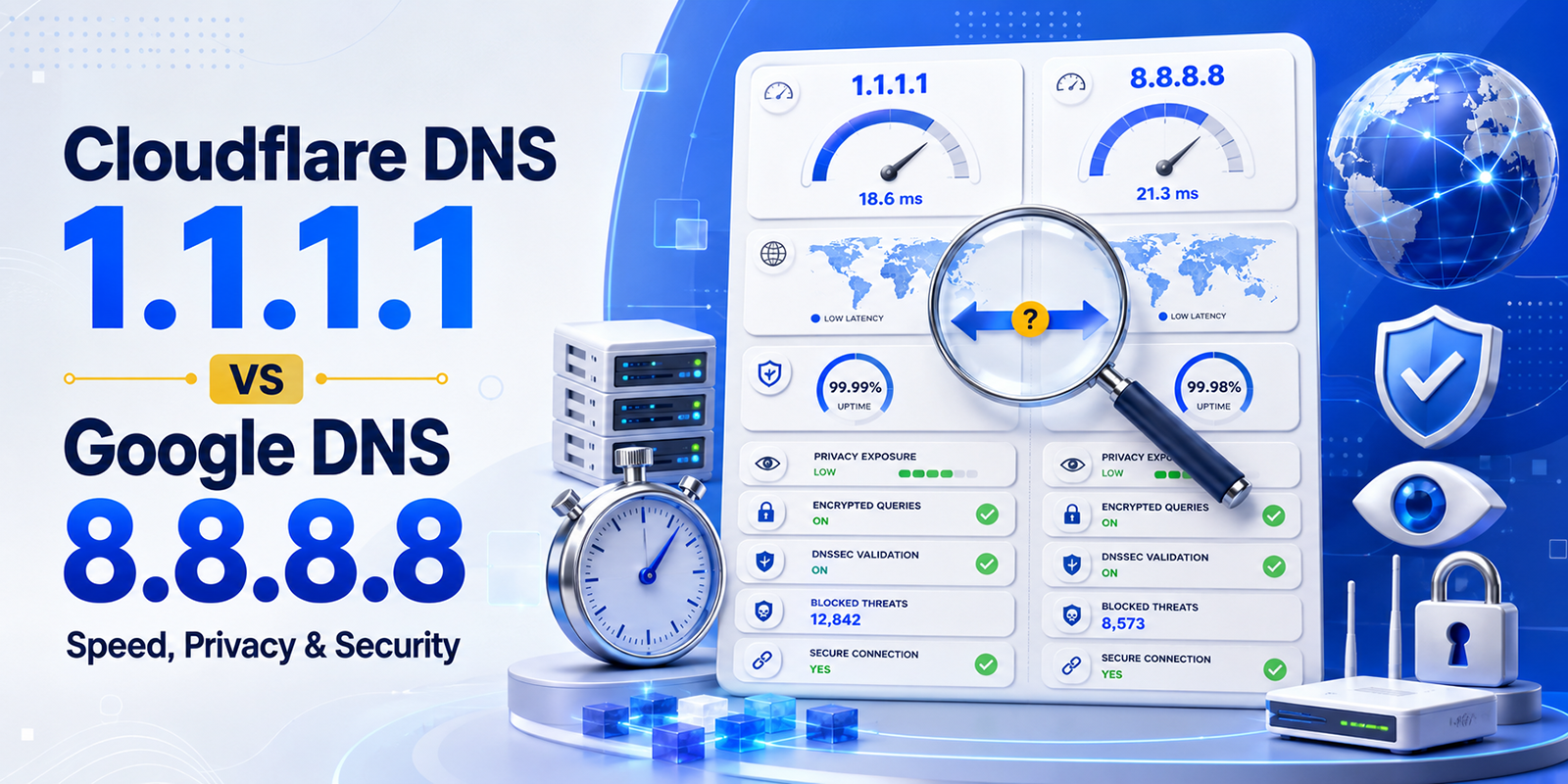
8.8.8.8 vs Other DNS Servers
There are several DNS options available. Let’s compare:
| DNS Server | Speed | Privacy | Reliability | Notes |
| 8.8.8.8 (Google) | Fast | Moderate | Excellent | Widely used, free |
| 1.1.1.1 (Cloudflare) | Very Fast | High | Excellent | Privacy-focused |
| 9.9.9.9 (Quad9) | Moderate | High | Very Good | Security-focused |
| ISP DNS | Variable | Low | Varies | Often slow, unreliable |
Verdict: Google DNS (8.8.8.8) is great for speed, reliability, and troubleshooting. For privacy, Cloudflare or Quad9 may be better.
Testing 8.8.8.8
You can test if 8.8.8.8 is working with simple commands:
Ping Test
Open Command Prompt / Terminal:
ping 8.8.8.8
- If you get responses → your internet is connected.
- If ping fails → check network or firewall settings.
DNS Lookup Test
nslookup www.example.com 8.8.8.8
- This forces your query to Google DNS and shows the resolved IP.
- Helps troubleshoot DNS-related issues.
Common Problems and Solutions
1. DNS Not Changing
- Ensure you saved the new DNS settings properly.
- Restart your computer or flush the DNS cache:
ipconfig /flushdns
2. Slow Internet Despite Google DNS
- Check if your network hardware (router/modem) is limiting speed.
- Sometimes, the nearby ISP DNS is faster due to proximity.
3. DNS Blocking
- Some ISPs or networks block custom DNS. In that case, 8.8.8.8 may not work.
Fun Facts About 8.8.8.8
- It’s easy to remember, which is why Google chose it.
- You can ping it to test connectivity even if websites are down.
- It’s used worldwide by millions for fast and reliable DNS resolution.
FAQs About 8.8.8.8
1. Can I use 8.8.8.8 on mobile devices?
Yes. Both iOS and Android allow custom DNS settings. Enter 8.8.8.8 and 8.8.4.4 in Wi-Fi settings.
2. Is Google DNS secure?
It’s more secure than most ISP DNS servers and protects against common attacks, but Google logs some queries for analytics and optimization.
3. Can 8.8.8.8 improve speed?
Often yes. Faster than many ISP servers, especially in regions with slow default DNS.
4. Is 8.8.8.8 free?
Absolutely. Google provides it completely free for personal and business use.
5. Should I use 8.8.8.8 as my only DNS?
It’s recommended to also use the secondary server, 8.8.4.4, in case the primary fails.
Conclusion
Google Public DNS (8.8.8.8) is one of the most reliable, fast, and globally trusted DNS servers. It ensures your domain lookups happen quickly, improves reliability, protects against some DNS attacks, and helps troubleshoot network issues effectively.
By configuring 8.8.8.8 as your primary DNS, you can enjoy faster internet browsing, stable connections, and peace of mind knowing your DNS resolution is handled by one of the most robust infrastructures in the world.
Whether you’re a casual internet user, a business owner, or a network admin, 8.8.8.8 is an essential tool in your networking toolkit.